


What’s the Best Way to Secure Confidential Documents Online?
If you work from home or have access to computers at work, you may be wondering, “What is the best way to secure confidential documents online?”

Here are some suggestions: encrypt files, store them in the cloud, and verify who sends them. You might also want to use a combination of these methods to ensure maximum security. Regardless of the method you choose, the following tips should help you ensure maximum security.
Table of Contents
Cloud storage
Despite the many benefits of cloud storage, the most important step to ensure data security is to use a provider that encrypts files before they are sent or received. Data stored in the cloud should not be exposed to unintentional access, as stolen passwords are the most common target of phishing attacks. The cloud storage provider should create regular backups of all files and distribute them across multiple data centers, so that even if one server goes down, the client’s data won’t be lost. Moreover, clients should back up not only sensitive files, but also all of their cloud-based data. Regular backups should be made of all files and immutable, so that there are no changes to the data.
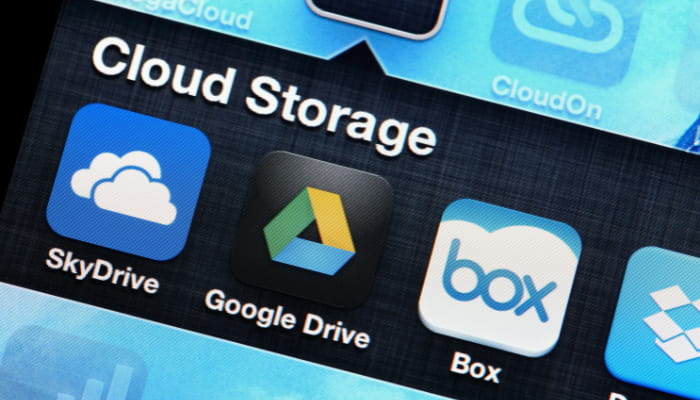
Apart from backing up your files, using cloud storage is also a good option for securing documents online. The main disadvantage of cloud storage is that it can be hacked. Among the many, there are two main types of cloud storage that people tend to trust the most: Google Drive and iCloud. Google Drive is the most popular option, but if you are using it on multiple devices and have not applied a good set of secure options from the Google Security pages, than your account is vulnerable to unauthorized access.

Despite cloud storage has many advantages, there are some important caveats to consider. While cloud storage is likely to be more secure than on-premises data, it also adds complexity to data security. Security teams have to adapt to new tools, adjust their tactics, and set up new measures to ensure data security. When moving files to the cloud, employees may not be aware of the risks, and this could cause sensitive information to leak out. Employees might also share sensitive files with the wrong users, and weak passwords or unapproved devices can expose confidential data.
Encryption
There are several ways to send sensitive data safely and securely online, but the best option is to encrypt it first. Password-protected archives are the easiest way to go; almost all archive utilities allow for this. It is important to remember to send your password through a separate channel, as well. You can use a software program like PasswordX to do this on a Mac, EncryptPad for linux and KeePass for Windows. If you are sending documents over email, consider using encryption.
Two-factor authentication
While passwords are a vital part of protecting sensitive information online, they can be stolen through phishing attacks or data breaches. Two-factor authentication (aka 2FA) works to prevent these attacks by linking the user’s authentication system with the organization’s authentication data. Windows 10 includes the infrastructure needed for 2FA. Windows Hello, for example, operates with Microsoft accounts and can authenticate users through Azure AD or Microsoft Active Directory. Authentication can also take place through Fast IDentity Online or Microsoft Active Directory.
There are various types of 2FA, such as text codes, mobile apps, and physical security keys. These methods make it easier for users to secure their accounts, but the downside is that they can’t be used when you’re traveling. You can lose cell service or wifi connection, and some wireless carriers may not offer coverage in remote locations. When traveling, 2FA is also ineffective if you don’t have a mobile device with you.
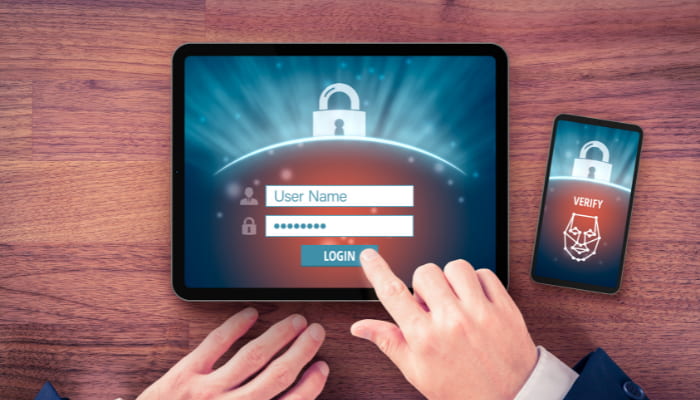
For enterprise users, two-factor authentication provides an additional layer of protection that makes it more difficult for attackers to access sensitive information. This authentication requires a user to input a username and password, and another factor such as a PIN or a biometric. This combination makes it harder for hackers to gain access to confidential documents online. This is a common security standard for online services.
In the retail industry, two-factor authentication is a crucial part of data security. The number of cybercrimes is rising and only 50% of businesses are implementing it. Lack of knowledge is a common reason for not adopting 2FA. It’s important for businesses to make sure they have the best security solution. When using two-factor authentication, your data remains safe and secure and ensures you don’t lose it or get stolen.
Verify the sender
It may be difficult to verify the sender of confidential documents online, but it is actually easier than you may think. First of all, always send the information only to people who you know. This is especially important if you send sensitive documents to people who may be hackers. Using an SSL connection will keep your documents safe from other people, and only the intended recipient will be able to view them. The more secure the connection, the better.
You should also ensure that the sender of such documents is legitimate by encrypting them. A good service will have a simple way for you to confirm that the person is indeed the person they claim to be. There are many ways to do this, but one of the most reliable and secure is by using biometrics. Biometrics involve a person’s name, fingerprints, or even retinal scans.
Verify the delivery method
When you send confidential documents online, you must always ensure their security. This means making sure that outside delivery services follow secure practices when transporting your sensitive information. You should also ensure that any paper copies are destroyed before they are discarded. You may also want to make backup copies of your documents so that you can keep them safe and prevent embarrassment. However, you can’t always guarantee the security of your documents. If you can’t do this, you may be left without a backup.
How to Encrypt Your Files on Google Drive
Encrypting access tokens and locking down files are just a few easy ways to protect your uploaded personal files. You can also encrypt data on your own systems. below, we’ll discuss some additional security options, such as encrypting your data using Google Drive.

Encrypting access token
A strong encryption process is necessary to protect uploaded personal files. Two-step verification and encryption of access tokens are the best options. These measures are important in preventing spoofing attacks. However, encryption alone does not protect your uploaded files from being stolen. You should also limit the file size. Both small and large files can be used as targets for DoS attacks. Establish a minimum file size limit on your website and enforce it.
Locking down files
While storing sensitive files on a computer is a convenient and time-saving method, it can also leave your files vulnerable to attack. A basic user account password won’t protect your files – unauthorized users can easily download your files and process them without your knowledge. Luckily, there are several ways to lock down your files and make them unreadable to others. Below are some tips and tricks for locking down your files.
Enabling input validation before allowing any file type is a basic way to ensure that your users’ uploaded files are safe. You should always apply input validation before validating an extension. If you don’t know which file extensions are safe to use, you should also block them altogether. However, this isn’t enough protection – if someone knows about the file extension, he or she can bypass the check. To prevent this, you should only allow file types that are known to be harmless to other users.
Encrypting data on your own systems
When it comes to protecting your uploaded personal files, encryption is a necessity. Not only does it protect your data from cyberattacks, it also helps you comply with data privacy laws and streamline data transfer. In addition, it can reduce the risk of data loss by making it harder for thieves to recover your data. The longer data remains unencrypted, the greater the risk that your personal files may be lost, stolen, or ransomed.
Encrypting data on Google Drive
Encrypting uploaded personal files on Google Drive is not difficult, and it can be done in two easy steps. You can use free tools such as WinRAR, which you can download to your computer and install. This program comes with a variety of features, including a built-in encryption algorithm. To encrypt files on Google Drive, all you have to do is right-click on the folder you want to protect and click “Add to archive.” When asked for a password, choose “Yes” and then type the password. After you’ve done that, you can click “Encrypt” and confirm the process.
Although most people are concerned about the privacy of their personal data, businesses and individuals alike are benefiting from encrypting their data. There are many advantages to encrypting your data, and it’s particularly important when using a service like Google Drive, as most mobile devices are tied to an email account, such as a Gmail account. Encrypting your data will help protect your information while it’s stored on the cloud, as well as prevent unauthorized parties from accessing your files.

There are many free options for encrypting your files on Google Drive. Encryption is always a good idea, but remember that there are several different levels of security. One way to protect your data is to set the level of encryption to 128 bits. When files are in transit, the encryption is stronger than when they’re in storage. The highest encryption level is 256 bits, which is very hard for hackers to crack.
Although Google Drive is highly secure, you need to protect your files from outsiders to prevent them from accessing them. Encryption is most effective when you have control over the security keys and can use a software program to encrypt your files. If you don’t want to use the software provided by Google, you can also install third-party encryption software like Boxcryptor, which is available for both individuals and companies.

The post What’s the Best Way to Secure Confidential Documents Online? first appeared on Phuket Web Design.
If you work from home or have access to computers at work, you may be wondering, “What is the best way to secure confidential documents online?”
The post What’s the Best Way to Secure Confidential Documents Online? first appeared on Phuket Web Design.
Daniele Pais
{authorlink}
https://danielepais.com/journal/whats-the-best-way-to-secure-confidential-documents-online/
https://danielepais.com/journal/feed/
Phuket Web Design
https://danielepais.com/journal/wp-content/uploads/2016/11/cropped-logo-shadow-1-32×32.png
Digital Services & Freelance
May 21, 2022
4:00 am