
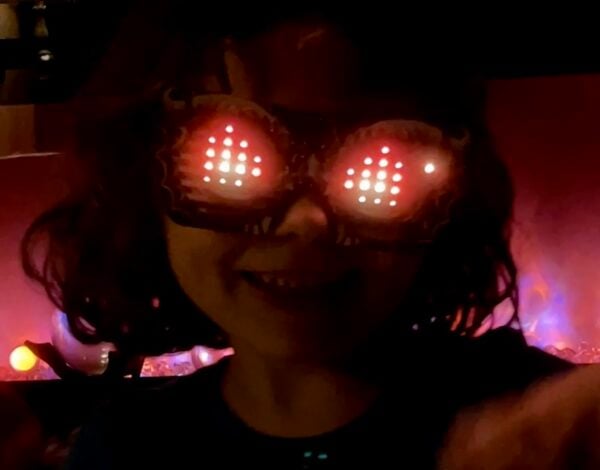
Check out the latest tutorial from Erin St Blaine: Make custom moving eye graphics for your EyeLights LED glasses that wink, blink, and wiggle. This is an easy tutorial that’s fun to do with kids. They will love wearing the light-up shades showing images they designed themselves. From the guide:
Create custom pixel graphics for your LED Glasses and show off your style. These attention-getting glasses are so much fun to customize and to wear. The build is super easy – just plug the controller board into the glasses, attach the frames, and you’re ready to upload your custom eye graphics.
This tutorial will show how to create simple animated pixel art icons (sprites) and upload them to your glasses. This is a great project for kids or folks who are interested in learning to code. We’ve done most of the heavy lifting, so you can do the fun part: making those glasses your own.
Content Summary:
– The guide provides instructions on creating custom animated graphics for LED Glasses by drawing pixel art and using sprite sheets.
– It details the process of using Piskel to create and animate sprites, exporting them as .bmp files, and implementing them with CircuitPython code.

Adafruit Products Used:
– The guide utilizes the [Adafruit LED Glasses Driver](https://www.adafruit.com/product/5217) for controlling the LED matrix on the glasses.
– It also mentions the use of the [Adafruit LIS3DH Triple-Axis Accelerometer](https://www.adafruit.com/product/2809) for detecting head tilts to cycle through animations.
– The LED Glasses themselves, which are part of the [Adafruit EyeLights LED Glasses and Driver](https://www.adafruit.com/product/5217), are central to the project.
Read more at LED Glasses Custom Animated Graphics with Sprites